


Is Virtualmin the Best Free Alternative to cPanel for Server Admins?

If you want to manage a VPS without paying for a commercial control-panel license, Virtualmin is worth considering. A Virtualmin cPanel alternative can give server administrators more flexibility while still providing a browser-based interface for common hosting tasks.
Virtualmin is an open-source hosting control panel built on Webmin. Its free GPL edition can help administrators manage websites, domains, databases, DNS, email, backups, and other server tasks from one interface.
But is Virtualmin actually the best free replacement for cPanel? That depends on your technical experience, the level of server control you need, and whether you prefer flexibility over a simpler, more guided interface.
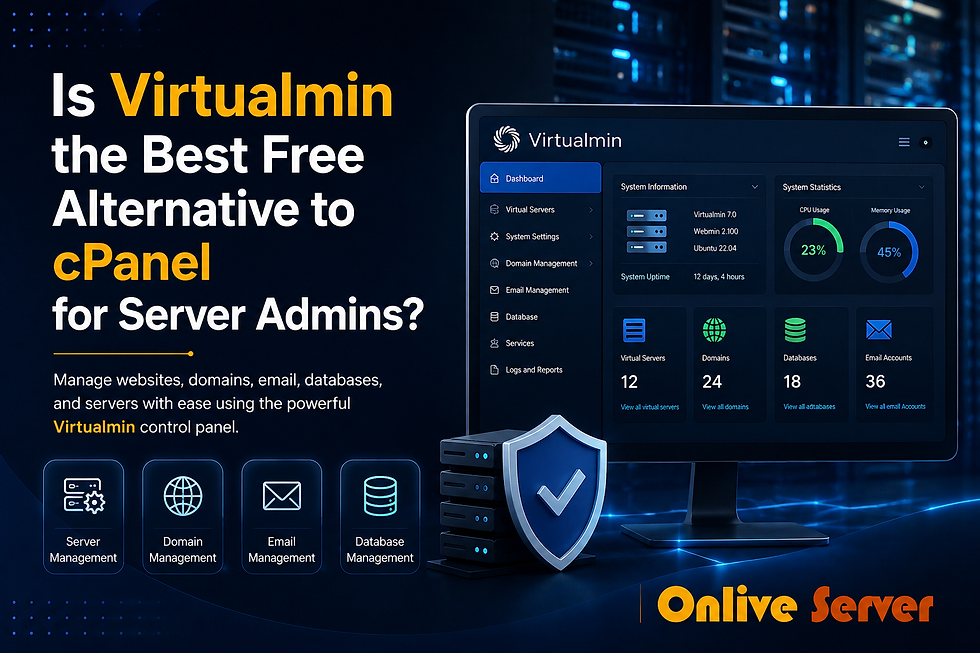
What Is Virtualmin?
Virtualmin is a web hosting management system designed for Linux servers. It works with Webmin, which provides broader server administration tools, while Virtualmin adds features for managing websites, domains, and hosting accounts.
Think of it as a central dashboard for your server. Instead of handling every website and service separately, you can manage many common tasks from one place.
With Virtualmin, administrators can manage:
Virtual servers and domains
Subdomains
DNS settings
Databases
Email services
SSL certificates
Website files
Backups
Server services
Apache or Nginx configurations
Command-line operations when needed
Virtualmin is available in a free GPL edition and a paid Professional edition with additional features.
Why Consider Virtualmin as a cPanel Alternative?
The main difference is the level of control.
cPanel focuses on providing a polished, hosting-oriented interface that makes common tasks easier. Virtualmin also offers a graphical interface, but it gives administrators more visibility into the Linux server underneath.
That can be useful when you need to customize your hosting environment instead of relying only on predefined settings.
1. Free GPL Edition
Virtualmin GPL is available as a free, open-source edition. This makes it useful for developers, small projects, testing environments, and administrators who want to avoid adding a commercial control-panel license to their hosting costs.
However, free software still requires maintenance. You remain responsible for operating-system updates, security, backups, and server configuration.
2. Configuration Flexibility
Virtualmin works with standard Linux services and allows administrators to work beyond the control-panel interface when necessary.
For example, you can use the dashboard for everyday hosting tasks and switch to the command line when a more advanced configuration requires it.
This approach gives experienced users greater control, although it also means they need a better understanding of Linux administration.
3. Manage Multiple Websites
Virtualmin is useful when one server hosts multiple websites.
Instead of managing every domain through a separate environment, administrators can organize multiple virtual servers from the same interface.
For example, a freelance developer hosting several client websites can keep each project separated while managing the overall VPS from one place.
Virtualmin vs cPanel: What Is the Difference?
Virtualmin and cPanel both help users manage hosting environments, but their approach is different.
Feature | Virtualmin | cPanel |
Licensing | Free GPL edition available | Commercial licensing |
Platform focus | Linux/Unix-like systems | Linux hosting |
Open-source option | Yes | No |
Server-level flexibility | High | More guided |
Beginner experience | Moderate learning curve | Generally easier |
Command-line integration | Strong | Available |
Multi-domain management | Yes | Yes |
Hosting-focused interface | Yes | Yes |
Customization | Extensive | More controlled |
Best suited for | Users wanting flexibility | Users wanting a familiar dashboard |
This is a general comparison, not a claim that one panel is better for every situation. Your choice should depend on your experience and how you plan to manage the server.
Is Virtualmin Difficult for Beginners?
Virtualmin can handle many basic hosting tasks through its web interface, but beginners may find it more demanding than a simpler hosting dashboard.
The reason is that Virtualmin exposes more server-management concepts. You may eventually need to understand DNS records, permissions, email configuration, firewall settings, or server services.
You do not need to become a Linux expert before getting started. A practical approach is to begin with basic hosting tasks and learn the more advanced settings as your needs grow.
Virtualmin cPanel Alternative: Who Should Use It?
Virtualmin can be a good choice for users who want more control over their Linux server.

It may suit:
Developers managing their own VPS
Small agencies hosting multiple websites
Linux users who prefer open-source software
Administrators who need detailed configuration options
Website owners running several projects
Technical users who want both GUI and command-line access
It may be less suitable for someone who wants every server task to work like a simple shared-hosting account.
If affordable server infrastructure is also part of your decision, you can compare cheap virtual private servers before choosing a VPS environment.
Real-World Example: A Small Web Agency
Imagine a small web agency managing websites for several local businesses.
The agency has one VPS hosting websites for a restaurant, construction company, school, and retail business. Each project needs its own domain, database, email accounts, and SSL configuration.
With Virtualmin, the administrator can organize these websites as separate virtual servers while managing the overall hosting environment from one interface.
If a project later needs a custom server configuration, the administrator can also work directly with Linux instead of depending entirely on the graphical interface.
Multi-Server Administration and Flexibility
Virtualmin goes beyond basic website management. Its ecosystem supports command-line operations and APIs for automation, while Webmin provides tools for broader system administration.
These capabilities can help administrators automate repetitive tasks and manage hosting environments more efficiently.
However, greater control also means greater responsibility. A wrong server setting can affect websites, email, DNS, or other services.
For that reason, flexibility should be treated as both an advantage and a responsibility.
What About Virtualmin's Operating System Support?
Virtualmin is designed for Linux and supports several Linux distributions. Its documentation identifies operating systems with stronger official support, while some systems may require additional manual configuration.
For beginners, choosing a supported operating system is the safer approach. It can make installation, updates, and troubleshooting easier.
Before installing Virtualmin, always check its current operating-system support rather than relying on an old installation guide.
Virtualmin GPL vs Virtualmin Professional
Not every Virtualmin feature is included in the free edition.
Virtualmin GPL provides core hosting-management capabilities, while the Professional edition adds features intended for more advanced or commercial environments.
For a personal server, development project, or small website setup, the GPL edition may be enough. Businesses with more advanced requirements should compare the editions before making a decision.
Common Mistakes to Avoid

1. Treating Virtualmin Like Shared Hosting
A VPS running Virtualmin still requires server administration. Do not assume that the control panel automatically handles every security and maintenance responsibility.
2. Choosing an Unsupported OS
Check Virtualmin's current operating-system support before installation. An unsupported environment can make troubleshooting unnecessarily difficult.
3. Ignoring Backups
A control panel does not replace a backup strategy. Keep reliable backups and, when possible, maintain copies outside the main server.
4. Changing Settings Without Understanding Them
Virtualmin offers many configuration options. Avoid changing important services simply because a setting is available.
5. Forgetting DNS and Email
A website may work correctly while DNS or email configuration remains incorrect. When moving a domain, check the complete hosting setup rather than focusing only on the website.
A Closer Look Before You Switch

If you are considering Virtualmin as a replacement for cPanel, it is worth learning how the panel works before moving a production website.
For more background, this Virtualmin cPanel alternative review explains Virtualmin in greater detail and provides additional context for users comparing hosting control panels.
You can also test Virtualmin on a development or non-critical VPS first. This lets you learn the interface and identify workflow differences before moving important websites.
Frequently Asked Questions
Q. Is Virtualmin completely free?
A. Virtualmin GPL is available as a free, open-source edition. Virtualmin also has a Professional edition with additional features, so not every capability is included in the free version.
Q. Can Virtualmin replace cPanel?
A. Yes, Virtualmin can work as an alternative to cPanel for many Linux hosting environments. However, its interface and administration approach are different, so some users may need time to adjust.
Q. Is Virtualmin good for beginners?
A. Virtualmin can handle common hosting tasks through its web interface, but beginners may face a learning curve because it exposes more server-management concepts. Starting with a test VPS can make the learning process easier.
Q. Does Virtualmin support multiple websites?
A. Yes. Virtualmin is designed to manage multiple virtual servers and domains from a centralized interface, making it useful for developers and administrators managing several websites.
Q. Does Virtualmin work with WordPress?
A. Yes. WordPress can be hosted on a Virtualmin-managed server. Virtualmin also provides WordPress-related management tools, with some advanced capabilities available in the Professional edition.
Q. Is Virtualmin better than cPanel?
A. There is no universal winner. Virtualmin can be a better fit for users who value open-source software, customization, and server-level control, while cPanel may suit users who prefer a more guided hosting interface.
Q. Should I use Virtualmin on a production server?
A. You can, but preparation is important. Use a supported operating system, secure the server, maintain reliable backups, and test your configuration before moving important websites.
Conclusion
So, is Virtualmin cPanel alternative the best free option for server administrators? It can be a strong choice when open-source software, configuration flexibility, and Linux-level control are more important than having the simplest possible interface.
Virtualmin is not the right solution for everyone. Beginners may need some time to understand server administration, while experienced users may appreciate the additional control.
The best approach is to test Virtualmin on a VPS and compare its workflow with your current hosting setup. If you want to explore VPS environments where a control panel can be used, cheap virtual private servers can be a useful starting point for further research.


Comments